Team chat that runs on your own servers

Tulpar is open-source team chat you host yourself. One server carries every workspace your organization needs, and one client holds every server your people work across.

Get early access
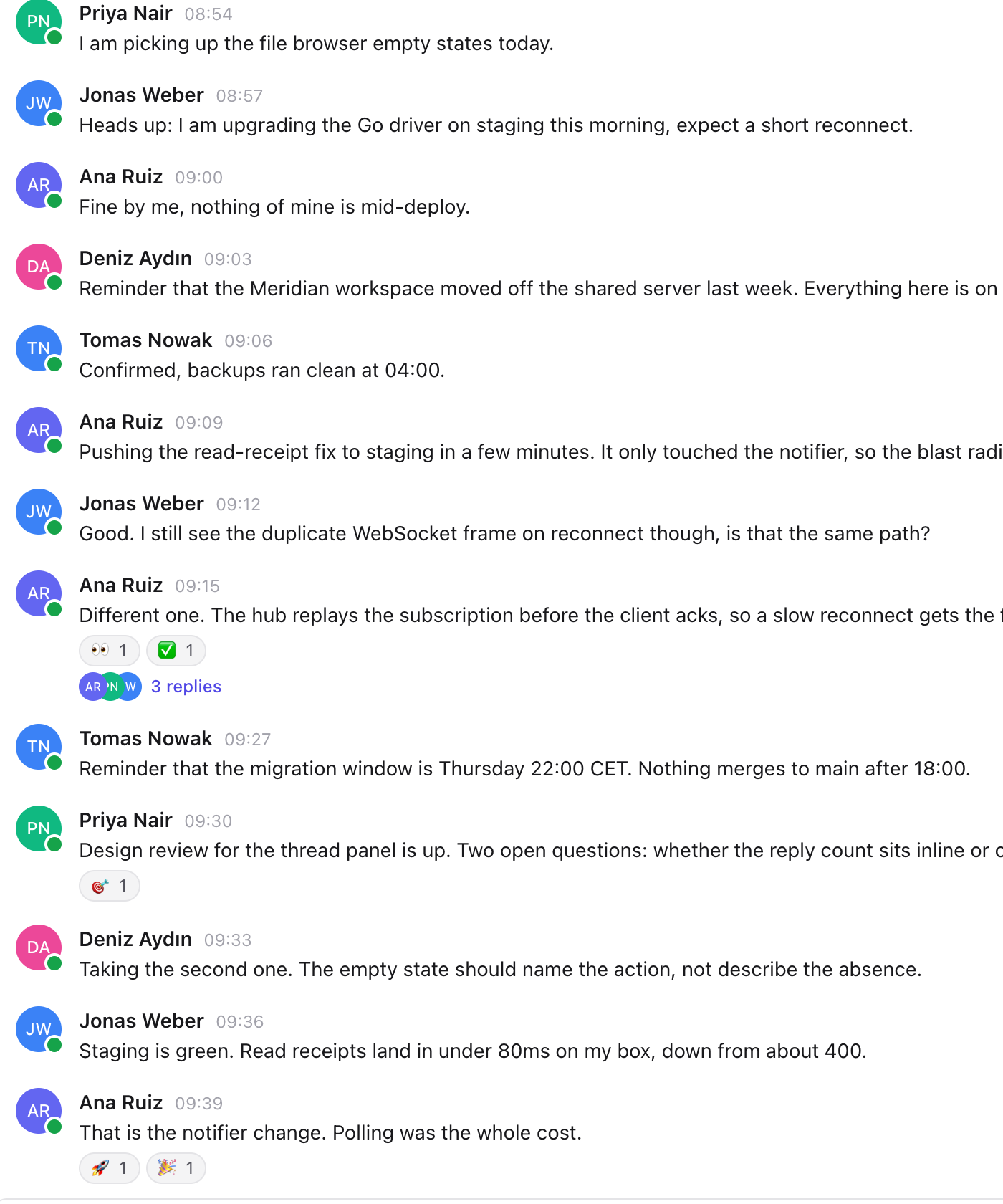
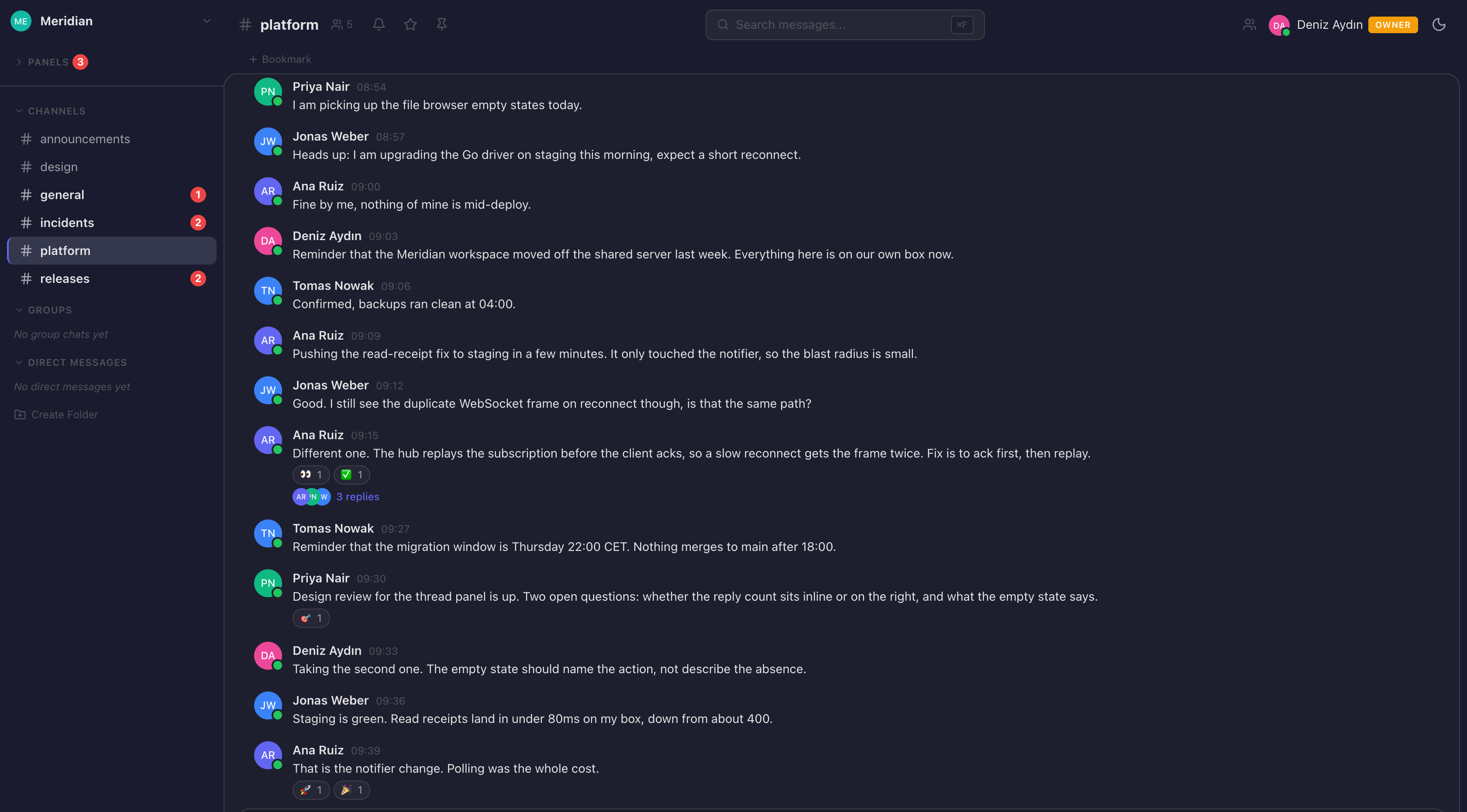
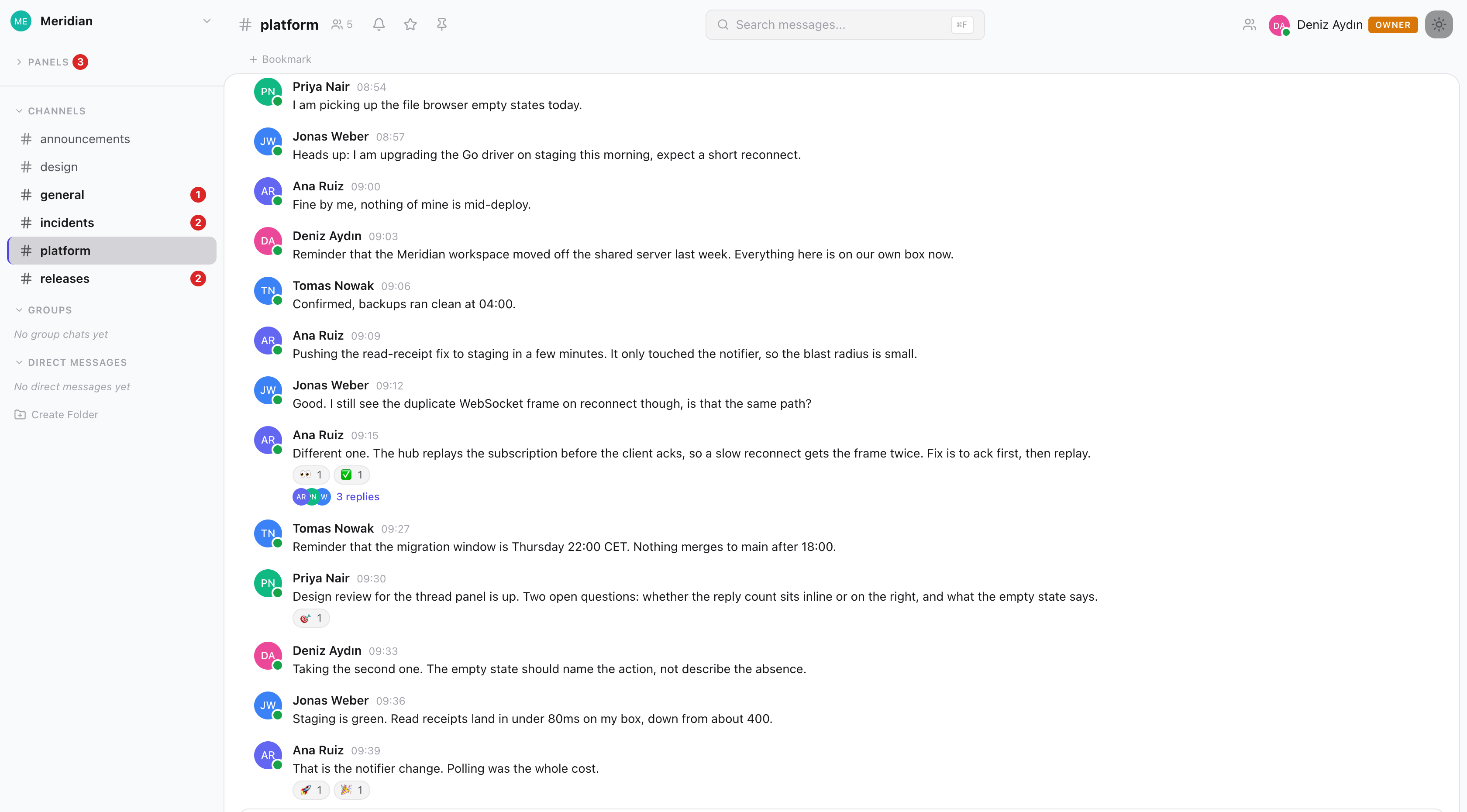
The Tulpar client showing the platform channel of a workspace: a threaded engineering conversation with reactions, presence indicators and a message composer.

One window, every workspace

A single installation carries as many workspaces as your organization needs, each with its own channels, members and settings. One client then holds every server your people are trusted on, in the same window. Slack and Mattermost retrofitted that onto their desktop apps; here it is the shape of the data model.

The Tulpar client showing a channel of the Meridian workspace, with the channel list, a threaded conversation and the message composer.

Threads beside the room, not over it

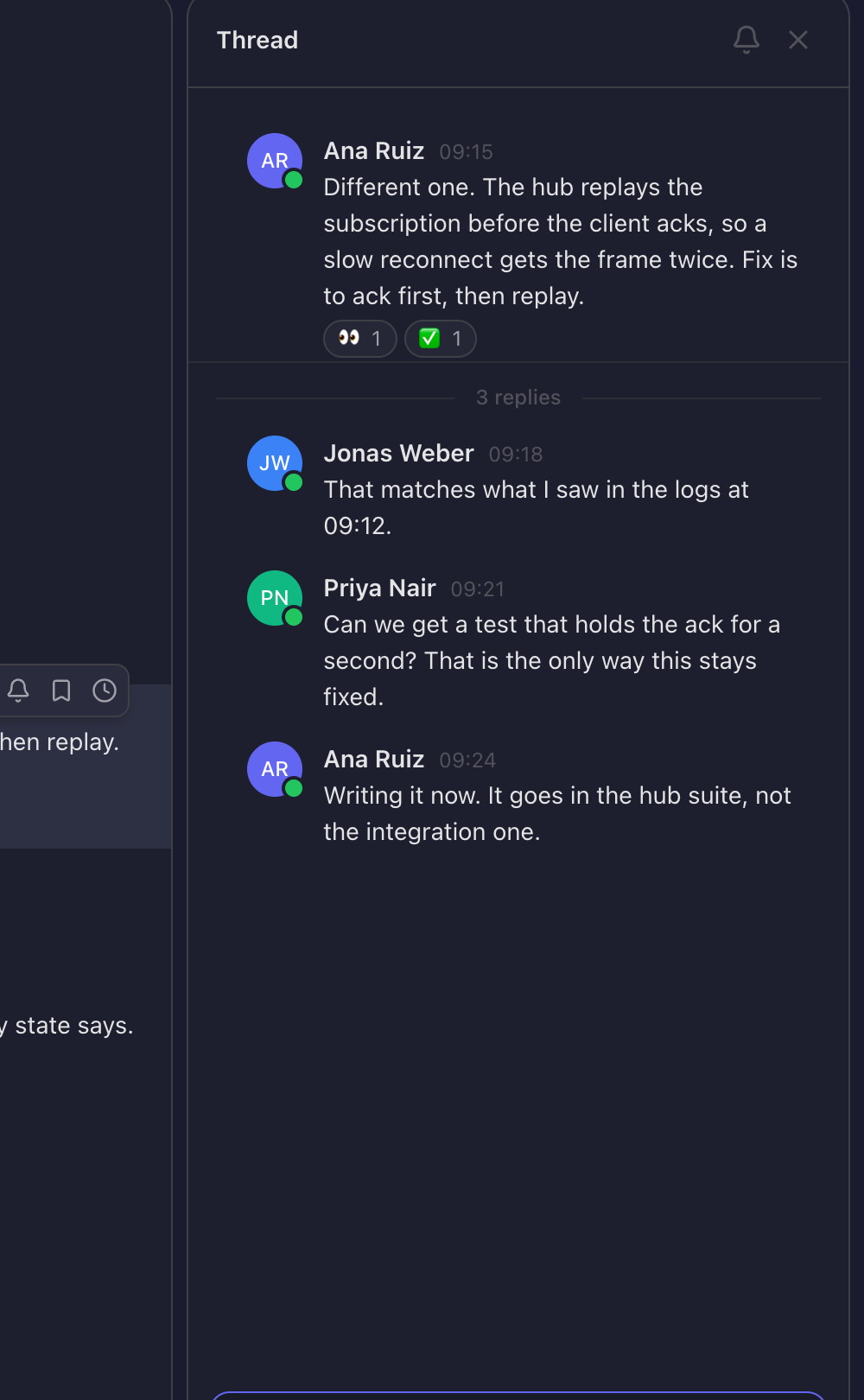
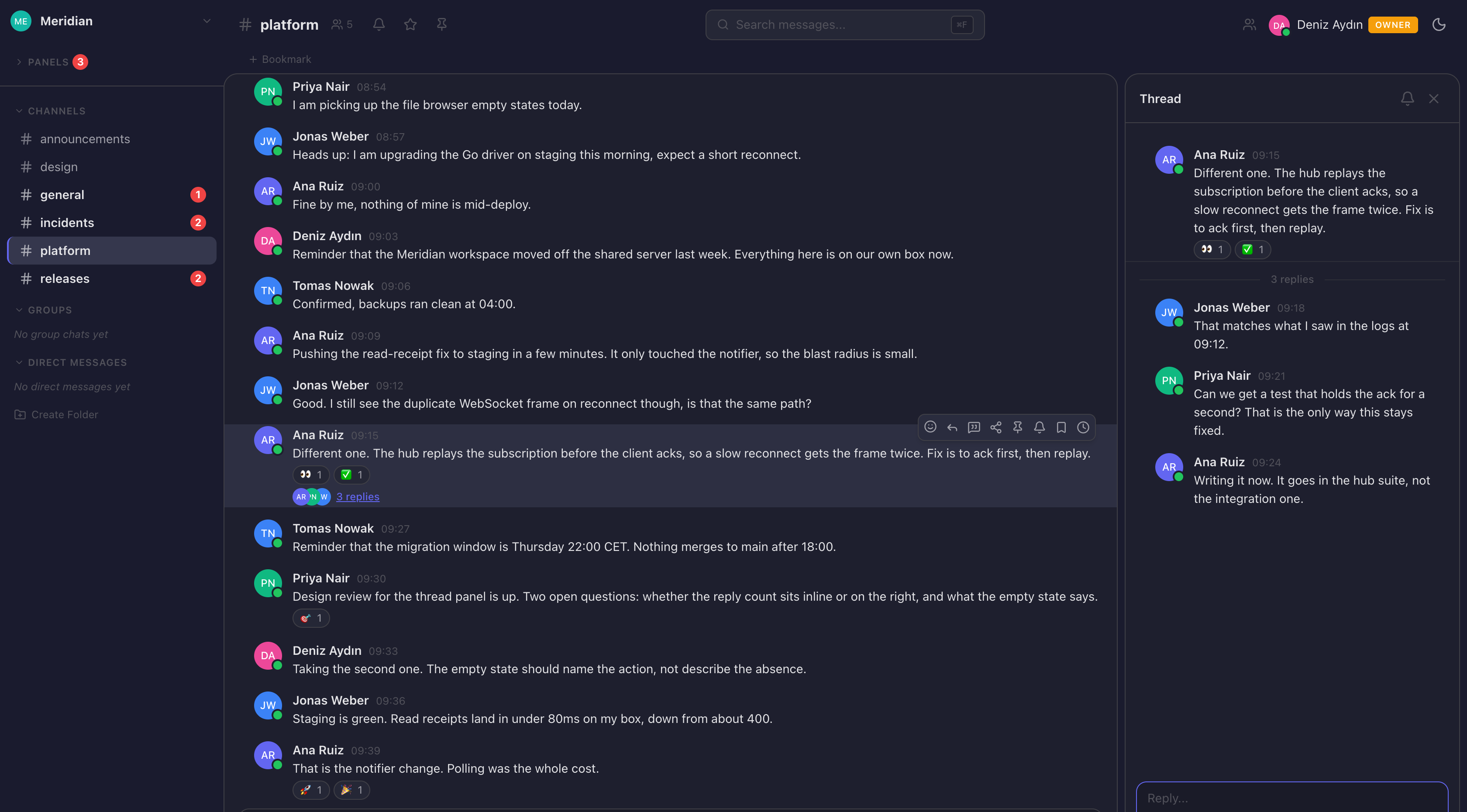
A reply count opens the thread in its own panel while the channel stays where it was. Reactions, follow, per-thread unread and the whole message toolbar come with it, and nothing you were reading moves.

The same channel with the thread panel open on the right, showing a parent message and its three replies.

Your palette, your type

Four palettes ship with the product, each in a light and a dark variant, and the reading font and size are a per-person preference rather than a company decision. The whole interface is available in English and Turkish.

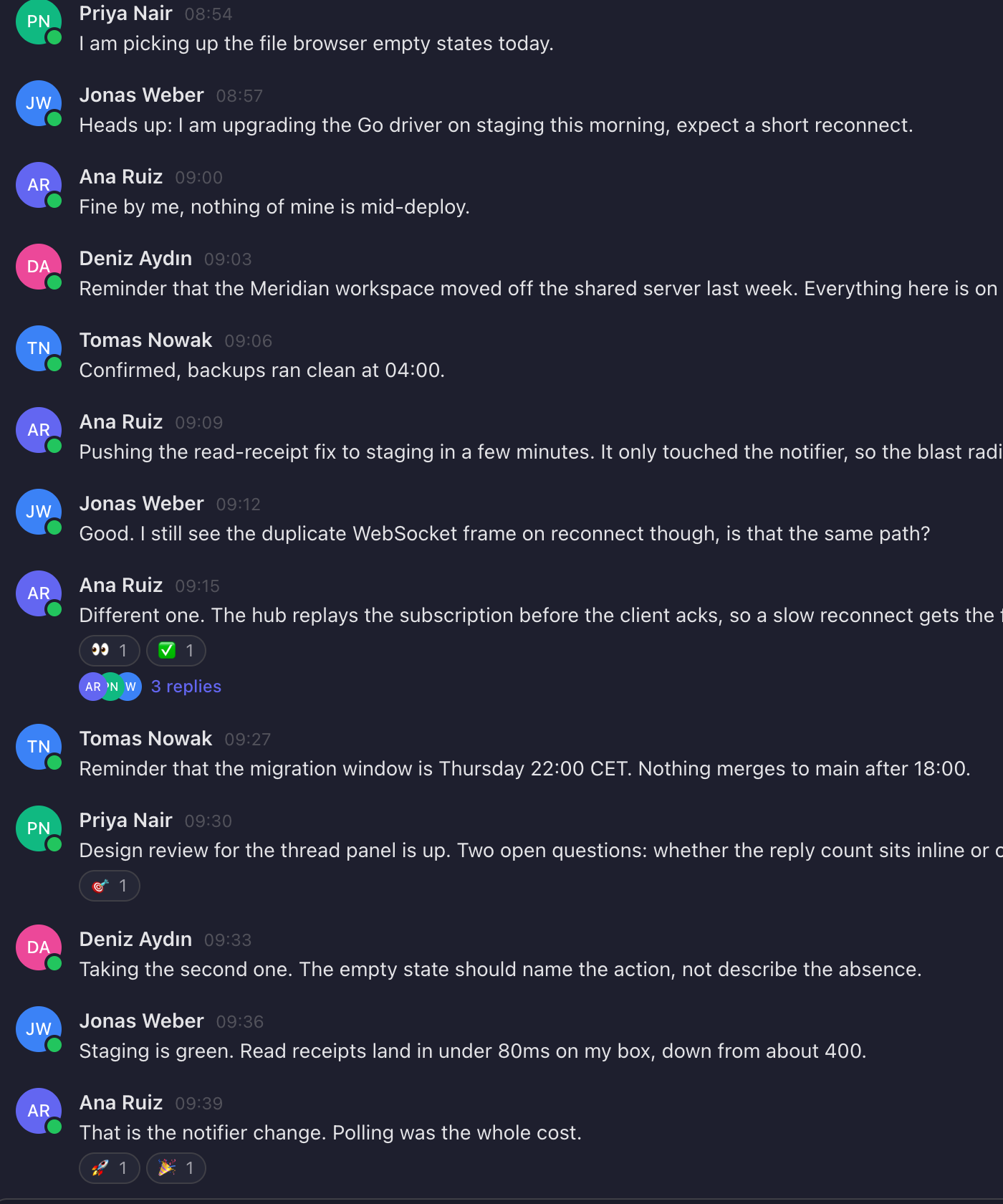
The same workspace rendered in the light theme.

Your own infrastructure means your own data

The point is not where the software runs. It is that the conversation, the people and the files sit in a database you hold, under a key you made. Here is the whole ledger, both columns, before you think to ask for it.

Your network

  • Every message, thread and file In your PostgreSQL, on your host. There is no copy anywhere else.
  • Accounts and credentials Passwords are hashed in your database. No identity provider is required and none is contacted.
  • The signing keys The JWT keypair is generated on your machine during install and never leaves it.
  • Attachments Written to your disk by default. Object storage only if you point it at your own bucket.
  • Backups One dated archive on your host: the database dump, the app state, the keys.

Crosses the line

  • Nothing, by default There is no analytics, telemetry or crash-reporting package in the client or the server. Not disabled by a setting: not present.
  • Outbound email Through the mail service you configure, for invitations and password resets. Yours to choose, or none at all.
  • Link previews When someone posts a link, the linked site is fetched to build the card. Embeds for a few video and audio hosts load from those hosts.
  • TLS at the edge If you reach your server through a Cloudflare tunnel, TLS terminates at Cloudflare. Terminate it yourself instead and it does not.
  • An optional reading font Only if a person picks one of the alternative chat fonts. The default is the system font and fetches nothing.

No compliance certification is claimed on this page, because none has been obtained. What is above is the architecture rather than a policy: it holds because of how the software is built, not because of a promise about how it is run.

Pushed, not polled

Nothing on the page ever asks whether something happened. Messages, threads, mentions, reactions, read receipts, typing and presence all travel the same way, the moment they land.

  1. The API writes

    Symfony

  2. PostgreSQL announces it

    LISTEN / NOTIFY

  3. A Go server pushes

    WebSocket

  4. The client has it

    Web · iOS

All of this is already running

Not a roadmap, and not a comparison table. Every one of these is in the client you can see in the screenshots above.

Public channels Private channels Group chats Direct messages Threads Thread panel Per-thread unread Follow a message Reactions Custom emoji Mentions Mention groups
Edit Delete Quote Forward Pin Bookmark Scheduled messages Drafts Edit history Link previews Typing indicators Presence Read receipts
File upload Inline preview File browser Workspace search Command palette Channel directory People directory Channel bookmarks Do not disturb Incoming webhooks Outgoing webhooks Bot accounts Plugin hooks Health diagnostics Four palettes Light and dark English and Turkish

Push notifications, a desktop client and an Android build are not finished, so they are not on this page.

Extend it without forking it

Plugins are declarative first. A manifest states what the plugin adds and what it is allowed to touch, and the core does the rest. Install one from a directory, a ZIP, or a registry you point the server at.

Slash commands
Declared in the manifest, routed by the core, answered by the plugin.
Interface slots
A plugin can put a control in the message toolbar or a tab in settings, without touching the client.
Profile fields
Add fields to a person's profile, with their own read and write endpoints.
Awards
Declare the rules; the core enforces them and owns the data and the display.
Lifecycle hooks
Run before and after an action, and cancel it outright when that is the right answer.
Permissions
Every manifest states what it wants. Anything it did not ask for, it does not get.

plugin.json

{
  "id": "com.tulpar.dice",
  "name": "Dice Roller",
  "type": "slash_command",
  "capabilities": {
    "slashCommands": [{
      "command": "dice",
      "usage": "/dice [NdN]"
    }],
    "uiExtensions": [{
      "slot": "message-toolbar",
      "icon": "dices",
      "label": "Roll dice"
    }]
  },
  "permissions": ["messages.write"]
}

A plugin that ships with the product, unedited.
What it does not do, stated here rather than discovered later: plugin PHP is not sandboxed, packages carry a checksum rather than a signature, the registry endpoints exist but the browsing screen does not yet, and a manifest asking to run a bot is rejected. Bots belong outside the request cycle, talking to the incoming webhook endpoint.

Web today, in your pocket too

One account, one set of servers, whichever client someone opens. What is not finished is named here rather than left for you to find out later.

Web
Everything in the screenshots above. Multi-server, multi-workspace, light and dark.
iPhone
A Flutter client on the same REST and WebSocket API, with the same multi-server model: every server keeps its own session and its own socket. Chat, threads, reactions, pins, files, search, directories and settings are all in.
Android
The same codebase. The toolchain is not set up, and we will not draw a build we have not made.
Desktop
Planned around the web client rather than a second implementation. Not started.

Solid is built. Outlined is not, and is drawn that way on purpose. Push notifications are the one thing the mobile client is still missing.

Run it yourself

Docker Compose on a single host, reachable through a tunnel. No public IP and no open ports. The installer generates the keys, runs the migrations, walks you through the admin wizard and verifies the result. Backups come out as one dated archive.

Runs on
PHP · Go · PostgreSQL
Price
No per-seat fee

Or hand it to us

Tulpar Enterprise is the same software with the work attached: deployment on your infrastructure, migration off whatever you are running today, support with a name on it, and the integrations your organization already depends on.

Includes
Migration · Support
Same software
No features held back

Get on the early access list

Tulpar opens in waves. Tell us where you would run it and what you are running today, and we will get in touch before the first one.

One email, written by a person. Stored on our own server, with no tracking pixels and no third-party form service.

Which one are you after